Mail app not working (iphone)
iPhone – Apple Mail App


Please follow the steps below one by one.
Settings → Mail → Mail Accounts
→ Select the account you want to be deleted then
→ Tap Delete Account
→ Restart iPhone
→ Go back to Settings → Mail → Accounts → Add Account
→ Click on Choose from a list.
→ Re‑add the account (Microsoft Exchange) and sign in
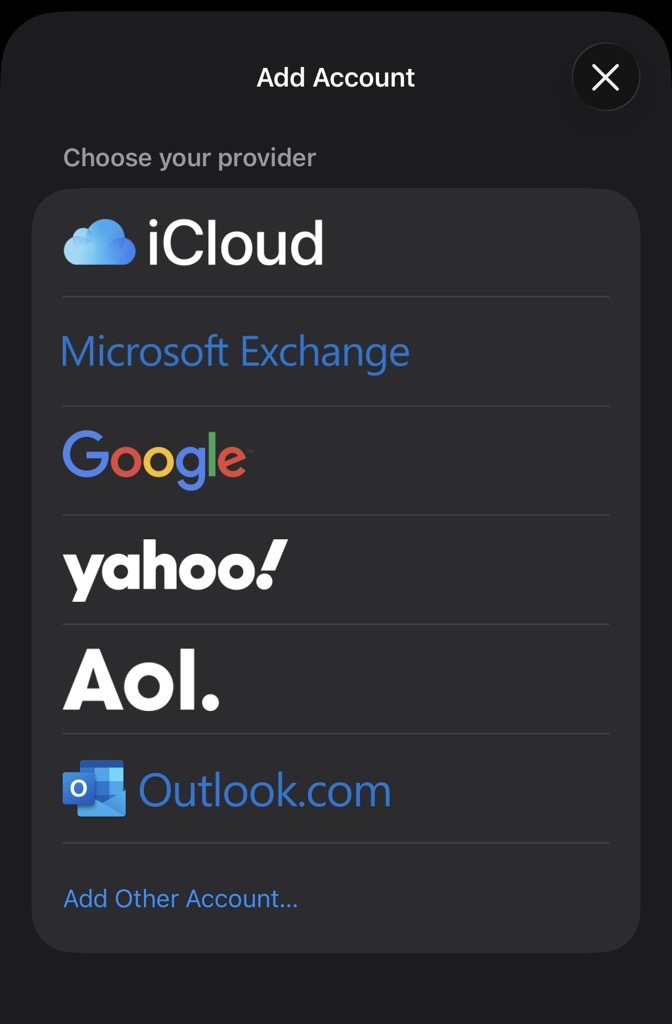
→ Sign in using your Balmain account, and you will be prompted to complete MFA.
Related Articles
Iphone To Iphone Data transfer and MFA set up.
? iPhone to iPhone Migration Guide (Including Microsoft Authenticator Setup) New device Setup. BEFORE WIPING OLD iPhone device IF your iPhone is backed up in iCloud the transfer will be faster, if not simply use QUICK START. Important! Ensure both ...How to delete VoiceMail on Iphone
1. Open your Phone app and tap "Voicemail" in the bottom-right corner. Here, you can delete voicemails indiviudally by swiping left on them and tapping "Delete." 2. If you want to delete all the voicemails at once, tap the word "Edit" in the ...How to add BOSS and BAM and SharePoint as Desktop App
To facilitate the installation of BOSS , BAM, SharePoint application on your desktop, follow these steps tailored either on Edge or on Chrome browsers: First thing you need to open browser and navigate to the application sites: For BOSS: ...How to add PWA Outlook as Desktop App
To facilitate the installation of PWA Outlook for accessing your mailbox, follow these steps tailored for both Edge and Chrome browsers: Installing PWA Outlook from Edge Browser: Launch the Edge Browser and navigate to outlook.office.com. Sign in ...Disabling or Enabling Focused Inbox on Outlook
If you want to disable the focused inbox in Outlook, this knowledge base article will be helpful. For Classic Outlook, follow these steps: Open Outlook, click on "View," and then click on "Show Focused Inbox." This will disable the focused inbox. For ...